
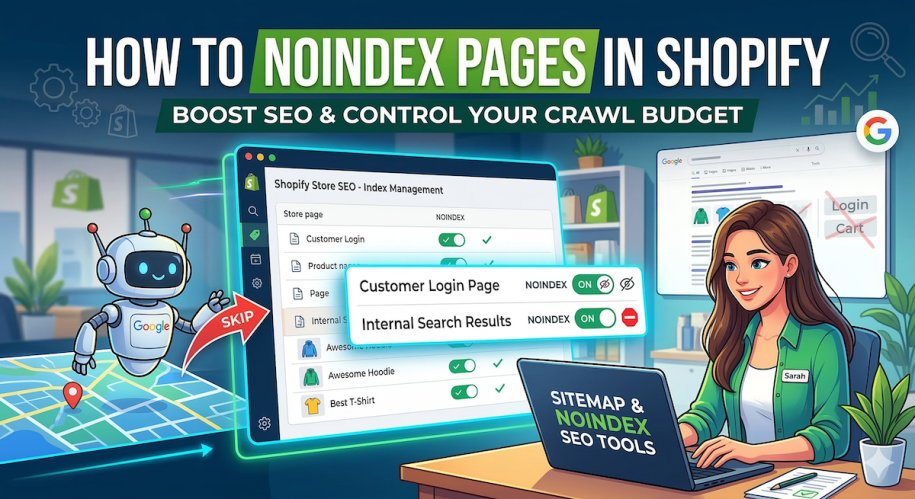
When it comes to Shopify SEO, most store owners focus heavily on getting their pages indexed by Google. But did you know that keeping certain pages out of Google’s search results is just as important for your rankings?
This process is called “noindexing,” and it’s a powerful way to tell search engines exactly what they should and shouldn’t pay attention to on your store.
In this guide, we’ll cover exactly what a noindex tag is, which Shopify pages you should hide from Google, and how to do it—both manually and the easy way.
What is a Noindex Tag?
A noindex tag is a snippet of HTML code placed in the <head> section of a webpage. It tells search engine crawlers (like Googlebot) not to include that specific page in their search index. If a page has a noindex tag, it won’t show up in search engine results pages (SERPs).
Why Should You Noindex Pages on Your Shopify Store?
You might be wondering, “Why would I want to hide my pages from Google?” Search engines assign a “crawl budget” to your website. If Google spends its time crawling hundreds of low-value, duplicate, or irrelevant pages on your Shopify store, it might miss your high-converting product pages. Furthermore, having too many low-quality pages indexed can drag down your site’s overall SEO authority.
Here are a few types of Shopify pages you should almost always noindex:
- Internal Search Results: Pages generated when a customer uses your store’s search bar.
- Duplicate Content: Duplicate product pages or collections created by tags and filters.
- Admin/Utility Pages: Customer account login pages, cart pages, and checkout pages (Shopify usually handles some of these, but it’s good to be thorough).
- Thank You Pages: Order confirmation pages that might contain sensitive customer information or shouldn’t be found organically.
- Promotional/Landing Pages: Expired sales pages or exclusive VIP-only landing pages.
How to Noindex Pages in Shopify (The Manual Way)
If you are comfortable editing your Shopify theme’s code, you can manually add noindex tags using Liquid. Here is how you generally do it:
- From your Shopify admin dashboard, go to Online Store > Themes.
- Click the three dots (or Actions) next to your current theme and select Edit code.
- Open your
theme.liquidfile. - Paste a conditional Liquid code snippet directly under the
<head>tag.
For example, to noindex your internal search pages, you would add:
Code snippet
{% if template contains 'search' %}
  <meta name="robots" content="noindex">
{% endif %}
If you want to noindex a specific page by its handle, you would use:
Code snippet
{% if handle == 'secret-vip-sale' %}
  <meta name="robots" content="noindex">
{% endif %}
The Catch: While this method is free, it requires messing with your theme’s core files. One wrong line of code can break your site’s layout. Plus, as your store grows, managing dozens of these Liquid conditions becomes a massive headache. Furthermore, simply noindexing a page doesn’t automatically remove it from your Shopify sitemap.xml, which sends mixed signals to Google.
The Easy Way: Using Sitemap NoIndex Pro SEO
If you want to avoid touching any code and ensure you are sending the right signals to Google, the best approach is using a dedicated Shopify app like Sitemap NoIndex Pro SEO.
Instead of writing Liquid statements, this app allows you to take full control of your indexing and sitemaps with just a few clicks.
Here is why it’s the better option for Shopify merchants:
- Zero Coding Required: Easily apply
noindex,nofollow, ornoarchivetags to any product, collection, article, or page straight from a user-friendly dashboard. - Custom Sitemap Control: Shopify’s default sitemap is notoriously rigid. This app allows you to exclude specific pages from your XML sitemap so Google isn’t forced to crawl pages you are actively trying to hide.
- Bulk Editing: Save hours of time by applying noindex tags or sitemap exclusions to multiple pages at once.
- Protect Your Crawl Budget: Instantly ensure Google is only focusing on your money-making pages, boosting your overall store SEO.
Final Thoughts
Cleaning up your index by hiding low-value or duplicate pages is a quick-win SEO strategy that too many Shopify merchants ignore. By intentionally steering Google toward your best products and collections, you’ll improve your rankings and drive more organic traffic.
Ready to take control of your Shopify SEO without touching a single line of code?
Related Posts:
- Top 10 Shopify Apps To Improve SEO and Convert More in 2026
- 5 Best Quiz Apps for Shopify in 2026
- How to change Canonical URLs / Tags on your Shopify store
- The Ultimate Guide to Optimising Shopify Product Pages for SEO
- Boost Shopify SEO by adding a Sitemap to your Shopify store
- How To Edit The Robots.txt File On Your Shopify Store