
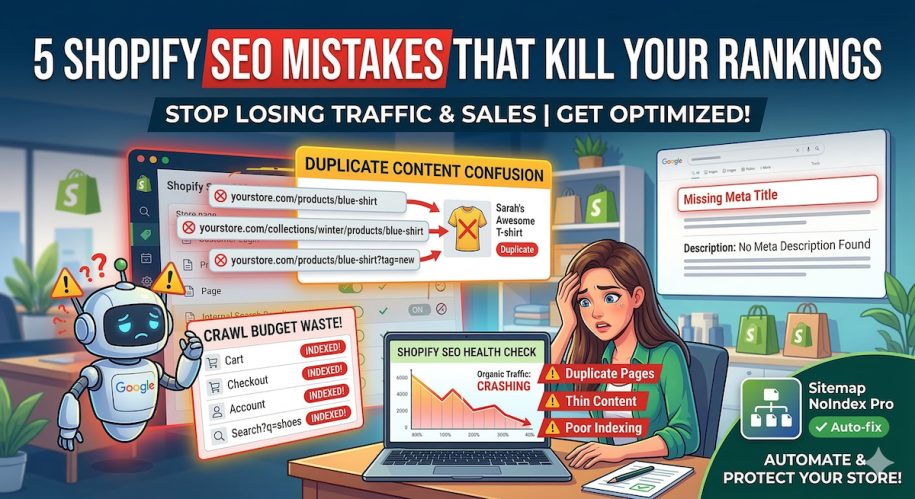
You’ve spent hours designing your Shopify store, sourcing the best products, and writing compelling descriptions. But if your organic traffic is flatlining, you might be making some critical Shopify SEO mistakes without even realizing it.
Every day, countless Shopify merchants lose potential traffic and sales because of technical errors going on behind the scenes. SEO isn’t just about keywords — it’s about how search engines crawl and understand your site’s architecture.
If you’re struggling to climb the Google search results, here are the most common Shopify SEO problems and our top tips to fix them.
1. Duplicate Content from Collections, Tags, and Filters
Shopify often generates multiple URLs for the same product:
yourstore.com/products/blue-shirtyourstore.com/collections/mens/products/blue-shirt
Filtered or tagged pages create even more dynamic URLs. Google sees these as separate pages with identical content, which dilutes your ranking power and confuses search engines.
Why it happens
Shopify automatically generates collection, tag, and filter URLs for flexibility, but this creates duplicate content.
The Manual Fix
Ensure your theme.liquid relies on canonical tags pointing to the primary /products/ URL.
The App Fix
Use an SEO tool to automatically noindex tag and filter pages so Google ignores them entirely.
2. Pagination Issues
Large catalogs often spill over into multiple collection pages (/collections/shirts?page=2). Crawling dozens of these paginated URLs can trigger “thin content” warnings and waste your site’s crawl budget.
The Fix
Ensure your theme uses proper pagination linking, or manage your sitemap to prioritise main collection pages over deeply paginated ones.
3. Missing Meta Titles and Descriptions
Meta titles and descriptions are what appear in Google search results. Leaving them blank causes Google to pull random text from your page, which rarely converts.
The Fix
- Go into Shopify Admin → Products/Collections/Pages → “Search engine listing preview”
- Write unique, keyword-rich titles and descriptions for each page
- This boosts your click-through rate and helps search engines understand your content
4. Incorrect Indexing (Letting Google Crawl the Wrong Pages)
By default, Shopify might allow Google to index pages that offer zero value, like:
- Customer account/login pages
- Shopping cart & checkout pages
- Internal search results (
/search?q=shoes)
Crawling low-value pages wastes your crawl budget and can drag down your store’s authority.
The Manual Fix
Add <meta name="robots" content="noindex"> tags to non-essential pages in your theme code using Liquid statements, e.g.:
{% if template contains 'search' %}
  <meta name="robots" content="noindex">
{% endif %}
The App Fix
Avoid touching code — Sitemap & NoIndex SEO Tools automatically hides these pages from Google.
5. Slow Page Speed and Technical Issues
Large images, unoptimised scripts, and excessive apps can slow your Shopify store.
Why it matters
Google considers page speed a ranking factor, and slow stores lose conversions.
The Fix
- Compress images
- Limit unnecessary apps
- Use caching and Shopify-optimised themes
How to Prevent SEO Mistakes Going Forward
- Audit your store regularly for duplicate content
- Keep indexing rules up to date
- Automate repetitive SEO tasks with tools like Sitemap & NoIndex SEO Tools
✅ Take control of your Shopify SEO today. Install Sitemap & NoIndex SEO Tools to automatically manage indexing, prevent duplicates, and optimise your store for search engines.
Conclusion
Shopify SEO mistakes are common but preventable. By addressing duplicate content, indexing errors, missing meta tags, and technical issues, you can improve search visibility and drive more organic traffic.
Automating these processes with Sitemap & NoIndex SEO Tools ensures your store stays SEO-healthy, while you focus on growing your business.
Related Posts:
- Top 10 Shopify Apps To Improve SEO and Convert More in 2026
- From Winning Product to Page: How to Align Product Selection With SEO for Shopify
- The Ultimate Guide to Optimising Shopify Product Pages for SEO
- 5 Best Quiz Apps for Shopify in 2026
- How to Noindex Pages in Shopify (And Why It’s Crucial for SEO)
- Boost Shopify SEO by adding a Sitemap to your Shopify store